 Australia(English)
 United States(English)
 United Kingdom(English)
 Germany(Deutsch)
 France(Français)
 Spain(Español)
 Italy(Italiano)
 Czech(česká republika)
 Poland(Polski)
 Japan(日本語)
 Korea(한국어)
 Taiwan(繁體中文)
 Portugal(Português)
 Brazil(Português)
 Canada(English)
 STEAM
 ORIGIN
 UPLAY
 PC Games
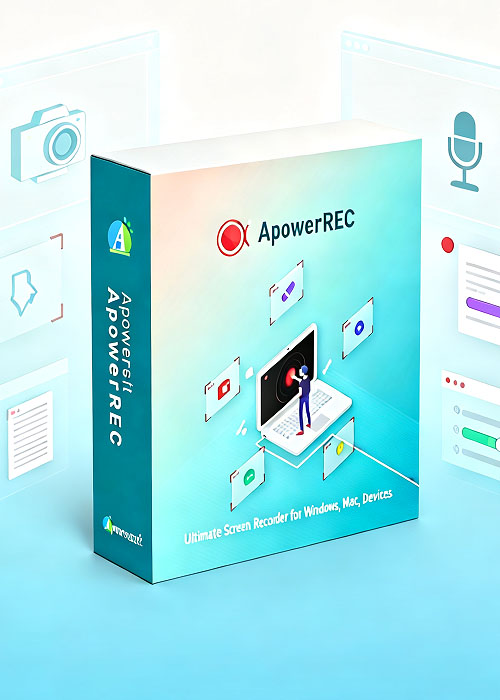
New Hot ApowerREC Annual Plan
64.49AUD
71.64 AUD
Platform:

Region:

Tags:
Apowersoft Software
Stock:
In Stock
Quantity:
1-500
Product Description
Click here to download ApowerREC
Product Overview
ApowerREC is a powerful and easy-to-use cross-platform screen recording software that enables you to record everything on your screen with high quality. It works seamlessly on Windows, macOS, Android, and iOS, making it a versatile solution for both personal and professional use.
Key Features
- Record all screen activities with system sound and microphone voice
- Multiple recording modes: full screen, custom region, application window, picture-in-picture
- Webcam overlay support for tutorials and presentations
- Built-in video and audio editing tools for annotations, highlights, and effects
- Format conversion to MP4, AVI, WMV, MOV, FLV, and more
- Scheduled recording and follow-recording tasks
- One-click screenshot capture with auto-save
- High-quality audio capture with adjustable system and mic volume
- Instant sharing to YouTube, Google Drive, and Dropbox
Marketing Messages & Use Cases
- For professionals: Record online meetings, webinars, product demos, and training sessions with synchronized audio and video.
- For educators: Create engaging tutorials, lectures, and e-learning materials with annotations and webcam overlay.
- For content creators: Capture high-quality gameplay, software demos, and presentations for social platforms.
- For general users: Record daily screen activities, app walkthroughs, and share useful tips with ease.
2) Unique selling point
- Cross-platform compatibility: Works on Windows, macOS, Android, and iOS.
- Flexible recording modes: Choose full screen, region, or application window recording.
- Webcam + Screen recording: Capture picture-in-picture videos for tutorials and live commentary.
- All-in-one solution: Record, edit, annotate, and convert within one software—no need for extra tools.
- Automated recording: Set timers or follow app-specific tasks for unattended screen capture.
- Multi-format export: Save recordings in various formats for different platforms.
- Seamless sharing: Upload and share recordings directly to popular platforms.
- High-quality audio: Capture both system audio and microphone clearly.
3) Other Strength
Main Alternatives & Differences
- OBS Studio – Free, powerful, customizable, suitable for advanced users and live streaming. Steep learning curve.
- Camtasia – Professional tool combining recording and advanced editing. Comprehensive but more expensive.
- Snagit – Focused on screen capture with light recording features. Best for static content and quick tutorials.
- Icecream Screen Recorder – User-friendly, affordable, offers basic recording and editing features.
- ShareX – Free and open-source, rich customization options, but less intuitive for beginners.
- Movavi Screen Recorder – Balanced between simplicity and features; affordable with essential editing tools.
- Loom – Cloud-based, easy for quick video messages, team communication, and lightweight tutorials.
- FlashBack Express – Beginner-friendly, reliable screen recorder with simple editing options.
Competitive Advantage of ApowerREC
- More intuitive than OBS and ShareX.
- Less expensive than Camtasia while still offering strong editing tools.
- More versatile than Snagit or Loom with support for long recordings, multiple formats, and advanced features.
- Broader cross-platform support than many desktop-only tools.
