
 Hungary(Hungarian)
 United States(English)
 United Kingdom(English)
 Germany(Deutsch)
 France(Français)
 Spain(Español)
 Italy(Italiano)
 Czech(česká republika)
 Poland(Polski)
 Japan(日本語)
 Korea(한국어)
 Taiwan(繁體中文)
 Portugal(Português)
 Brazil(Português)
 Australia(English)
 Canada(English)
 STEAM
 ORIGIN
 UPLAY
 PC Games
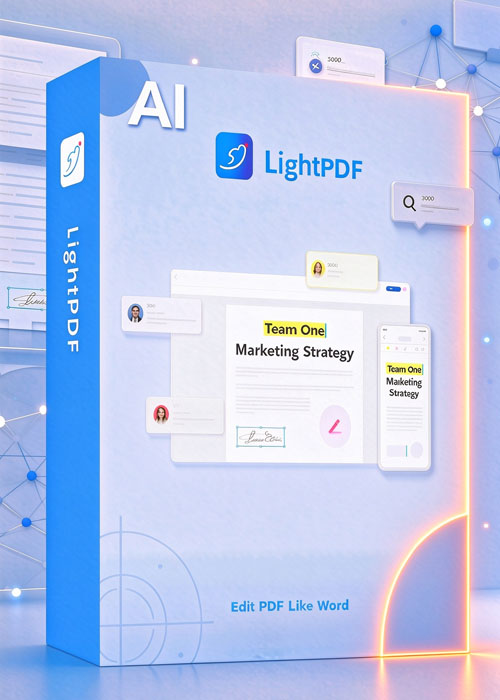
Új Forró LightPDF AI Perpetual Plan
97682.00 HUF


Click LightPDF to Download
Unique Selling Point
LightPDF is an all-in-one platform that gives you a full suite of PDF tools, enahnced with powerful AI capabilities. Designed for professionals, educators, teams, and businesses, it combined AI with advanced PDF features to make your work and studies smarter, faster and eaiser.
Key features:
- AI-Powered Features
LightPDF AI Agent: The first PDF AI agent that lets you to handle various tasks in seconds. Instead of switching between multiple tools or repeating manual steps, the AI Agent responds to your prompts directly and executes instantly - from converting documents, removing watermarks, compressing PDF to protecing PDF, and many more.
AI Watermark Remover: Utilize AI to auto-detect and remove unwanted logos and watermarks from PDFs without leaving any trace. Whether for professional reports, academic papers, business contracts, or personal files, it always, delivers clean, polish documents in seconds.
AI PDF Generator: Create well-structured PDFs from simple idea, raw text, notes or prompts. No technical skills needed, just input any of your thoughts, and the AI will automatically turn them into professional, ready-to-use documents, including reports, resumes, study notes, or business materials.
AI Presentation Maker: Transform simple ideas into fully structured presentations in seconds. Just input your thoughts, and the AI automatically generates organized slide content. Then choose from a rich library of professionally designed templates, and the AI seamlessly integrates your content into the selected layout — delivering complete, visually appealing presentations effortlessly.
ChatPDF: Chat with your documents like chat with a professor: ask questions, summarize content, or extract insights from lengthy documents instantly.
AI Summarizer: Quickly turn long PDFs into short, clear summaries. Highlight the main points, conclusions, and key details with references to the original sections, so you always know the source.
AI Analysis: Break down complex documents such as financial reports, contracts, or research papers. The AI detects patterns, extracts tables, and generates actionable insights, making heavy data easier to work with.
AI Create Mindmaps: Instantly turn documents, text or URL into structured visual mindmaps. Ideal for brainstorming, study reviews, or project planning, it helps you grasp key ideas at a glance and organize thoughts effectively.
PDF Translation: Translate PDFs into 20+ languages while keeping the original format. With the help of AI, your documents will always been translated naturally, just like native speaker wrote them.
- PDF Editing
Edit text & image: Quickly modify text, images, shapes, layouts, and more. The desktop version lets you edit PDFs as easily as a Word document, giving you full control over content and design.
Annotate: Highlight, underline, add notes, or draw directly on your PDF. Make reviewing, collaborating, and providing feedback simple and efficient.
eSignature: Sign documents digitally in seconds. Add a digital or handwritten signature without printing, scanning, or leaving your desk.
PDF Watermark Remover: Remove unwanted watermarks or logos from your PDF quickly and cleanly. Keep your file professional and ready to share without altering the original content.
Split PDF: Divide large PDFs into smaller files or separate selected pages exactly how you want. Organize documents efficiently for easier sharing, printing, or storage.
Cut PDF: Extract specific sections from a PDF page and save them as new files. Perfect for keeping the content you need while removing unwanted parts.
Crop PDF: Trim unnecessary margins or adjust page size to focus on key content. Ideal for presentations, reports, or print-ready files.
Replace PDF Text: Find and replace words or phrases throughout your PDF instantly. Save time on bulk edits or corrections while preserving formatting.
Remove PDF Pages: Delete unwanted or irrelevant pages in seconds. Streamline your documents to keep only the essential content.
- PDF Conversion
Convert from PDF: Convert PDFs to Word, Excel, PowerPoint, TXT, RTF, Markdown, and image formats with precise formatting.
Convert to PDF: Turn Office files, images, and more back into PDFs in seconds.
Batch Conversion: Process multiple files at once to save hours of repetitive work
- PDF Management
Compress PDF: Reduce PDF file size quickly without losing quality. Perfect for easier sharing, faster uploads, and saving storage space.
Resize PDF: Adjust page size or scale content to the dimensions you need, ensuring your document fits presentations, print layouts, or standard formats seamlessly.
OCR: Convert scanned images or PDFs into editable and searchable text. Extract content from images, receipts, or scanned documents instantly.
Repair PDF: Fix corrupted or damaged PDFs quickly. Recover text, images, and formatting to make files usable again.
Flatten PDF: Merge all layers, annotations, and form fields into a single layer. Protect your PDF content and make it ready for printing or sharing.
Make PDF Searchable: Turn scanned or image-based PDFs into searchable files. Find any text instantly without manually scanning pages.
Convert Text to Outline: Transform text in your PDF into vector outlines. Preserve fonts and design integrity while making your file ready for printing or graphic work.
- PDF Security:
Watermark PDF: Add custom watermarks or remove existing ones cleanly.
Password & Encryption – Secure PDFs with passwords or remove restrictions when permitted.
Redact PDF – Permanently hide sensitive data before sharing documents.
- Extra benefits:
Cross-Platform: Access and edit your PDFs anywhere — on web, desktop, or mobile — for ultimate flexibility.
Cloud Sync: LightPDF’s Cloud service lets you store and access your files from any device running our software, keeping your documents safe and always within reach.
Industry-Specific Solutions: Tailored features for education, finance, legal, publishing, and corporate workflows, helping professionals handle documents efficiently in any field.
